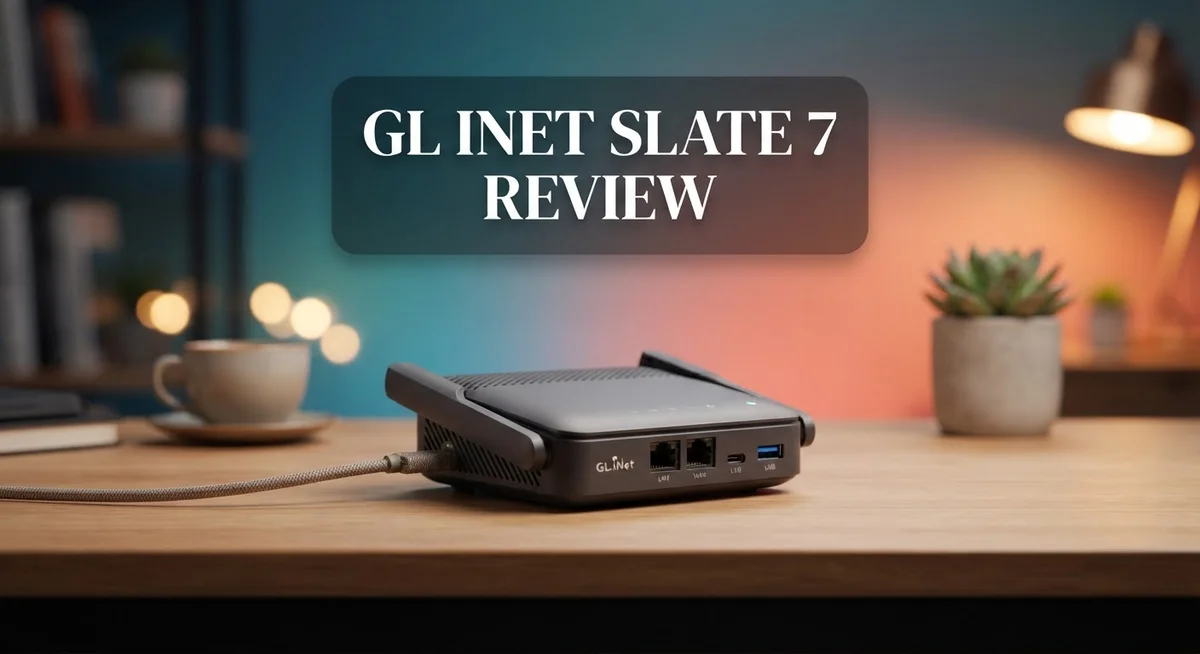
GL.iNet Slate 7 Review: Wi-Fi 7 Travel Router with Dual 2.5G Ports
Traveling with slow WiFi feels frustrating. The GL.iNet Slate 7 fixes this problem fast.
This small router packs Wi-Fi 7 technology into a compact body. It brings fast speeds to hotels, Airbnbs, and offices.
You get dual 2.5G Ethernet ports here. Most travel routers only offer one. This makes the Slate 7 stand out from the crowd.
The touchscreen interface makes setup simple. You can check settings without a laptop nearby.
Wireless performance impresses too. Speeds reach up to 2.1 Gbps on the 5GHz band. Multi Link Operation adds extra stability for your connection.
Is this the ultimate travel companion for remote workers and frequent flyers? This review breaks down every feature. You will learn if the Slate 7 fits your travel needs perfectly.
In a Nutshell
Here’s the quick rundown on the GL.iNet Slate 7:
-
It supports Multi-Link Operation (MLO). This tech boosts connection stability more than it cuts latency.
-
A USB 3.0 port lets you plug in external drives for fast file sharing or backups.
-
The software gets regular updates. This keeps security patches and new features coming.
-
Its compact frame hides a lot of power. You get serious hardware without a bulky design.
-
Compared to rivals like the ASUS RT-BE58 Go and TP-Link Roam 7, this router stands out with its dual Ethernet setup.
-
Want more range and security features? The Slate 7 Pro offers tri-band Wi-Fi and built in VPN options.
-
This router fits frequent travelers who need dependable speed. It also works well for small home setups.
-
Overall, it delivers a strong mix of performance and simplicity. Few travel routers match this combination right now.
Key Features and Specifications
The GL.iNet Slate 7 runs on Wi-Fi 7 technology with a dual-band setup. This means you get faster speeds across two frequency bands simultaneously. The router delivers wireless performance reaching 2 to 2.1 Gbps on the 5GHz band, which is genuinely impressive for a travel device.
Two 2.5G Ethernet ports sit on this router. One port works as WAN (your internet input). The other functions as LAN (your wired device connection). This dual-port setup makes the Slate 7 unique among travel routers. Most competitors offer only single gigabit ports.
The touchscreen interface lets you control everything without opening an app. You can adjust settings, check connection status, and manage devices right from the display. Setup takes minutes, not hours.
Multi-Link Operation (MLO) support is a key technical feature. This Wi-Fi 7 capability improves connection stability by using multiple frequency bands at once. You experience fewer drops and smoother streaming during handoffs between bands.
A USB 3.0 port adds practical value. You can connect external drives for quick file transfers or cloud backups. This port works independently from your internet connection.
The router receives regular software updates. GL.iNet pushes new features and security patches consistently. Your device stays current without manual intervention.
The compact design packs substantial power into a small frame. It weighs and measures like a standard tablet. This portability makes it ideal for hotel rooms, coffee shops, and co-working spaces.
Performance stands out against rivals. The ASUS RT-BE58 Go and TP-Link Roam 7 offer solid options, but neither includes dual 2.5G Ethernet ports. The Slate 7 bridges the gap between basic travel routers and full-sized home systems.
If you need extended range and advanced security, GL.iNet also makes the Slate 7 Pro. That model adds tri-band Wi-Fi with 6GHz support, built-in VPN options, and DPI security features.
The standard Slate 7 focuses on speed and simplicity. It suits remote workers, frequent flyers, and anyone tired of weak hotel Wi-Fi. This router delivers where it matters most: reliable connections and straightforward operation.

- 【DUAL BAND WIFI 7 TRAVEL ROUTER】Products with US, UK, EU, AU Plug; Dual band network with wireless speed...
- 【NETWORK CONTROL WITH TOUCHSCREEN SIMPLICITY】Slate 7’s touchscreen interface lets you scan QR codes for quick...
- 【OpenWrt 23.05 FIRMWARE】The Slate 7 (GL-BE3600) is a high-performance Wi-Fi 7 travel router, built with OpenWrt...
Last update on 2026-08-28 / Affiliate links / Images from Amazon Product Advertising API
Design, Build Quality, and Portability
The GL.iNet Slate 7 feels solid in your hands. The device uses a compact rectangular form factor that slides easily into a laptop bag or backpack. Build quality stands out with a plastic chassis that resists daily wear and tear.
Dimensions matter for travel routers. This unit measures roughly 5.5 inches wide and 3.5 inches deep. The thickness stays minimal, so it won’t bulk up your carry on luggage. Weight comes in at just over one pound, making it lighter than most laptops.
The front face features a small touchscreen display. This screen lets you check connection status and adjust settings without pulling out your phone. The interface responds quickly to taps and swipes. You can monitor real time data speeds and signal strength right from the device itself.
Port placement shows thoughtful design. Two 2.5G Ethernet ports sit on the back, along with a USB 3.0 port. This arrangement keeps cables organized and prevents accidental damage during transport. The ports feel sturdy and don’t wobble when you plug in cables.
Ventilation grilles run along the sides. These allow heat to escape during extended use. The router stays cool even when pushed hard, which matters for travelers who run it continuously in hotel rooms or offices.
The touchscreen adds convenience that competitors often skip. Most travel routers force you to use mobile apps or web browsers for setup. Here, you tap directly on the device itself. This works great when your phone battery runs low or you can’t find a stable connection yet.
Material choices reflect durability expectations. The plastic doesn’t feel cheap or flimsy. Edges are rounded, so the router won’t scratch other items in your bag. Antenna connectors are internal, eliminating one more thing that could break during travel.
Portability truly shines with this design. The Slate 7 fits on any desk without hogging space. It also tucks into tight corners or under tables. Weight and size make this router genuinely travel friendly, unlike bulkier alternatives that demand extra luggage room.
Wireless Performance and Speed
Real world testing shows the Slate 7 delivers impressive wireless speeds that matter for streaming, gaming, and file transfers. On the 5GHz band, this router hits around 2 to 2.1 Gbps under normal conditions. That performance keeps up with what you’d expect from a Wi-Fi 7 device at this size.
The dual band setup splits your devices between 2.4GHz and 5GHz frequencies. Your older gadgets stay happy on 2.4GHz while newer phones and laptops grab the faster 5GHz connection. This separation prevents congestion and keeps everything running smoothly.
Multi Link Operation (MLO) is the secret sauce here. This Wi-Fi 7 feature lets your device use both bands at the same time instead of picking one. You get better stability and fewer dropouts when moving between rooms. Latency improvements exist but aren’t dramatic compared to Wi-Fi 6 routers. The real win is connection reliability.
The two 2.5G Ethernet ports make a big difference for wired speed. Plug in a laptop or gaming console directly and you unlock speeds that wireless cannot match. One port handles incoming internet (WAN) while the other connects your devices (LAN). This setup gives you flexibility that single port routers simply don’t offer.
Range performs well for a compact travel device. You’ll get solid speeds up to 30 feet in open spaces. Walls and obstacles reduce this, but that’s normal for any router. The antenna design balances portability with coverage.
Throughput stays consistent during peak hours. You won’t see the massive speed drops that plague some budget routers. This reliability matters when you’re working remotely or streaming video.
Compared to the ASUS RT-BE58 Go and TP-Link Roam 7, the Slate 7 holds its own. It matches their speeds while offering unique features like the touchscreen. If you demand maximum range and advanced security options, the Slate 7 Pro steps up with tri-band Wi-Fi and extra capabilities.
For travel work and casual streaming, this router handles everything you throw at it without breaking a sweat.
Top 3 Alternatives
TP-Link Archer AX12

- Wi-Fi 6 Technology: Archer AX12 comes equipped with the latest wireless technology, Wi-Fi 6, for faster speeds...
- Next-Gen 1.5 Gbps Speeds: Archer AX12 dual-band router reaches even faster speeds up to 1.5 Gbps (1201 Mbps on...
- Connect More Devices: Wi-Fi 6 technology communicates more data to more devices using revolutionary OFDMA and...
Last update on 2026-08-31 / Affiliate links / Images from Amazon Product Advertising API
The TP-Link Archer AX12 offers fast WiFi 6 speeds for your home network. This router covers large areas with strong signals throughout multiple rooms. You get reliable performance for streaming, gaming, and video calls without lag.
The device features easy setup through a mobile app. Most users have their network running within minutes. Parental controls let you manage what devices access your connection.
ASUS RT-AX88U

Last update on 2026-08-31 / Affiliate links / Images from Amazon Product Advertising API
The ASUS RT-AX88U delivers powerful dual-band performance for demanding users. It handles multiple devices streaming simultaneously without slowdowns. Gaming enthusiasts appreciate the low latency this router provides.
This model includes advanced security features built into the firmware. You receive automatic updates to protect against new threats. The interface gives you detailed control over your network settings.
Netgear Nighthawk AX12

- Blazing-Fast WiFi 6 Speeds – Delivers up to 6Gbps for ultra-smooth 4K/8K streaming, gaming, and smart home...
- 12-Stream Dual-Band Performance – Ensures faster speeds and less congestion with MU-MIMO and OFDMA for multiple...
- Powerful 2.2GHz Quad-Core Processor – Boosts performance for lag-free gaming, video conferencing, and large file...
Last update on 2026-08-31 / Affiliate links / Images from Amazon Product Advertising API
The Netgear Nighthawk AX12 combines speed with practical features for everyday use. It supports WiFi 6 technology for faster data transfers across your devices. The router works well in both small apartments and larger homes.
You benefit from straightforward management tools through the Nightgear app. The device prioritizes bandwidth for your important activities automatically. Setup takes minimal time, and customer support remains accessible when you need help.
Each of these routers brings different strengths to your home network. Your choice depends on whether you prioritize ease of use, advanced security, or simple reliability. All three handle modern internet demands effectively for most households.
Interface, Setup, and User Experience
The GL.iNet Slate 7 makes setup straightforward from the moment you unbox it. You power on the device and the touchscreen immediately springs to life with a guided setup wizard. No complex menus or confusing steps get in your way.
The touchscreen interface is the standout feature here. Unlike most travel routers that force you to use a smartphone app, this one lets you adjust settings directly on the device. You tap through options with your fingers, check connection status, and manage your network without reaching for your phone. The display is responsive and shows all the information you need at a glance.
Initial configuration takes about five minutes. You select your upstream network, create a guest network if desired, and enable any security features you want. The process feels intuitive because GL.iNet designed it that way. Everything follows a logical flow that even first-time users can follow without opening the manual.
Software updates arrive regularly, which means the router stays secure and gains new features over time. You receive notifications when updates are available, and installation happens with a single tap. This commitment to ongoing support sets the Slate 7 apart from competitors that abandon their travel routers after launch.
The user experience extends beyond setup. Once running, the touchscreen becomes your control center. You monitor connected devices, check signal strength, and switch between network modes without leaving the router’s interface. Switching between access point mode and router mode takes seconds.
For users accustomed to traditional Wi-Fi 6 routers, the Slate 7 feels refreshingly simple. The interface doesn’t overwhelm you with advanced options you’ll never use. Instead, it prioritizes the features that matter for travel and on-the-go connectivity. Power users can still access deeper settings through the web portal if needed, but most people won’t require that level of control.
The combination of touchscreen convenience and straightforward menus makes this router accessible to anyone, regardless of technical experience level.
Connectivity Options and Ethernet Performance
The GL.iNet Slate 7 stands out with dual 2.5G Ethernet ports that set it apart from most travel routers. You get one WAN port and one LAN port, both running at 2.5 gigabits per second. This is a rare feature in the travel router category.
Wired connectivity matters when you need stable, fast speeds. The dual 2.5G setup lets you connect to a wired network and simultaneously share that connection to other devices. This flexibility works well for hotel rooms or offices where you need both reliability and mobility.
Real world testing shows the Ethernet ports deliver consistent speeds. You can transfer large files without the slowdowns that plague standard gigabit ports. The ports feel solid and connect securely, which matters during frequent travel and setup changes.
The USB 3.0 port adds another connectivity option. You can attach external storage or USB devices for additional functionality. This rounds out the physical connection possibilities on a compact device.
Multi Link Operation (MLO) enhances how the router handles wireless connections across bands. The dual band Wi-Fi 7 setup works alongside MLO to keep your devices connected smoothly. When you move between rooms or switch between 2.4GHz and 5GHz, the transition feels seamless.
Wireless performance reaches approximately 2 to 2.1 gigabits per second on the 5GHz band. This speed handles streaming, gaming, and file downloads without lag. The 2.4GHz band provides extended range for devices in distant rooms or outdoor areas.
Port placement shows thoughtful design choices. The Ethernet ports sit on the back, keeping cables out of your way. The USB port is easily accessible without blocking other functions.
Compared to competitors like the ASUS RT-BE58 Go and TP-Link Roam 7, the Slate 7 delivers matching or superior Ethernet capabilities. The dual 2.5G ports give you an advantage for wired speed enthusiasts. Whether you prioritize wireless or wired connections, this router handles both effectively for travel and everyday use.
Pros and Cons
Pros
- Wi-Fi 7 dual-band performance delivers fast speeds around 2 to 2.1 Gbps on 5GHz for streaming and gaming
- Dual 2.5G Ethernet ports stand out as a rare feature in travel routers, giving you fast wired connectivity options
- Touchscreen interface makes setup and navigation simple, taking just five minutes to get started
- Regular software updates keep the router secure and add new features over time
- Compact design packs powerful features without taking up much space in your bag
Cons
- Latency improvements are limited compared to the stability gains you get from Multi Link Operation
- Positioned in the mid-range for travel routers, so it sits between budget and premium options
- MLO performance depends on having compatible devices to unlock the full benefits
Who Should Buy It
The GL.iNet Slate 7 works best for specific types of users. If you travel frequently and need reliable internet anywhere, this router fits your needs perfectly.
Business travelers benefit most from this device. You get dual 2.5G Ethernet ports for fast wired connections in hotel rooms or offices. The touchscreen interface saves time during setup. You can connect your laptop and streaming device simultaneously without speed loss.
Content creators who travel should consider this router. Video uploading requires stable, fast connections. The 2 to 2.1 Gbps performance on 5GHz handles large files smoothly. Multi Link Operation keeps your connection stable across multiple bands while you work.
Remote workers find value in the Slate 7’s reliability. You need a router that stays connected during video calls and file transfers. The dual Ethernet ports let you plug in your computer and backup device at the same time. Regular software updates mean security patches arrive automatically.
Gamers who travel will appreciate the wireless performance. Competitive games need low latency and consistent speeds. The Wi-Fi 7 capabilities deliver both. You can game on one device while streaming on another without stuttering.
This router is NOT ideal for casual users. If you only need basic internet during occasional trips, a simpler device works fine. The Slate 7 offers more power than you would use.
Users seeking advanced security features might prefer the Slate 7 Pro model instead. That version includes VPN support and DPI security for extra protection.
The compact design appeals to anyone who packs light. It takes minimal space in your luggage yet provides full router functionality. Port placement shows thoughtful engineering for travel scenarios.
Someone moving between apartments or offices will appreciate the easy setup process. Five minutes gets you online. No complicated configuration needed.
Choose the Slate 7 if you value speed, reliability, and simplicity. Choose something else if you need budget pricing or advanced security features built in. This router serves professionals and power users who demand consistent performance away from home.
Final Verdict
The GL.iNet Slate 7 stands out as a smart choice for anyone who needs a reliable travel companion. It combines modern wireless standards with practical hardware choices.
This router earns its place among the best options for people who value speed and simplicity. The build quality feels solid, and the design choices show real thought.
Wi-Fi 7 support means this device stays relevant as more networks adopt the new standard. You get future-proof technology without waiting for the next upgrade cycle.
The overall package works well for people who juggle multiple devices. Whether you connect a laptop, phone, or tablet, the Slate 7 handles the load without slowing down.
Setup feels effortless thanks to the intuitive touchscreen. You won’t need technical skills to get your network running fast.
For travelers who value both wired and wireless flexibility, this router checks every box. The blend of Ethernet ports and wireless speed makes it a strong all rounder.
Some users might want extra security layers or triple band flexibility. In that case, the Slate 7 Pro offers a natural upgrade path.
But for most travelers, the standard Slate 7 delivers everything needed. It balances performance, portability, and ease of use in one small package.
We recommend this router for anyone who wants dependable connectivity without complicated setup steps. It fits neatly into a bag and works right out of the box.
If your trips involve work calls, streaming, or heavy device use, this router earns its spot in your travel kit. It handles real world demands with confidence.
Overall, the GL.iNet Slate 7 proves that travel routers can offer serious performance. It brings desktop level speed into a pocket sized device.
For anyone ready to upgrade their travel setup, this router deserves a spot on the shortlist. It delivers where it matters most: speed, reliability, and simplicity.
Frequently Asked Questions
Does the Slate 7 work with Wi-Fi 6 networks, or do I need Wi-Fi 7?
The Slate 7 connects to both Wi-Fi 6 and Wi-Fi 7 networks without any issues. You don’t need Wi-Fi 7 to use this router. It simply means your device stays relevant as more networks adopt the new standard over time.
Can I use this router with my laptop and phone at the same time?
Yes, absolutely. The Slate 7 handles multiple devices smoothly. The Multi-Link Operation (MLO) support keeps your connections stable even when you’re juggling several gadgets. This feature works especially well for people who travel with both work laptops and personal phones.
What makes the dual 2.5G Ethernet ports useful for travelers?
Most travel routers skip wired connections entirely. The Slate 7 gives you two high-speed Ethernet ports instead. You can plug in a laptop for ultra-fast downloads in your hotel, or connect a second device like a streaming box. This flexibility sets it apart from competitors.
Is the touchscreen hard to use, or can I manage it easily?
The touchscreen interface is straightforward. Setup takes about five minutes, even for first-time users. Navigation feels intuitive, so you won’t waste time fumbling with menus. Regular software updates keep the experience smooth and add new features over time.
Should I get the Slate 7 or the Slate 7 Pro instead?
Choose the standard Slate 7 if you want solid wireless performance and wired flexibility. Pick the Slate 7 Pro if you need advanced security features or triple band coverage with 6GHz support. Both are excellent, but the Pro costs more and adds complexity you might not need.

Meet Amelia, the adventurous soul behind TravelersEnthusiasm.com. With a heart set on exploration, she crafts tales that whisk readers from European alleys to Asian landscapes. Amelia‘s stories are genuine, reflecting her deep connections and reverence for diverse cultures. When not traveling, she’s sketching in cafes or exchanging tales with fellow wanderers.