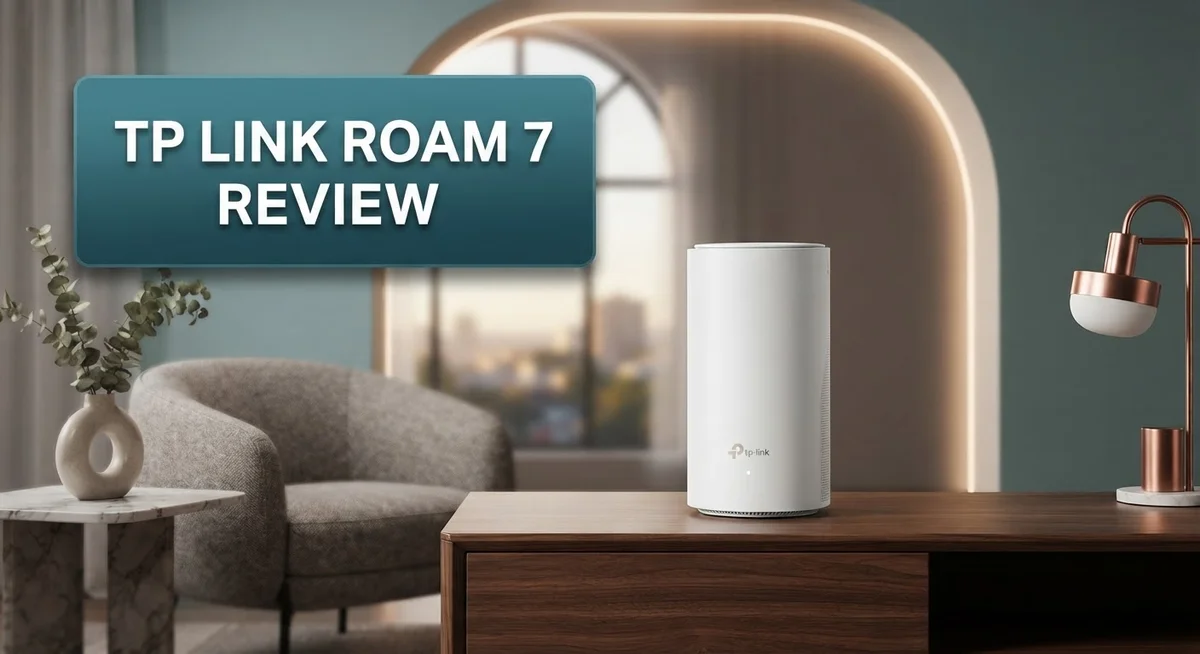
TP-Link Roam 7 Review: Wi-Fi 7 Portable Router for Travel
Traveling with slow hotel WiFi can ruin your trip. The TP Link Roam 7 fixes this problem fast. This tiny device fits in your pocket but packs serious power.
It supports Wi-Fi 7 technology. This means you get fast speeds and stable connections. Whether you stream movies or join video calls, this device keeps you connected.
The Roam 7 works in three modes. Use it as an Access Point, Range Extender, or Client. This flexibility makes it perfect for hotels, offices, or home use.
Many hotels limit devices per login. The Roam 7 solves this issue. It lets multiple devices connect through one login.
This review covers every detail. We look at its design, performance, and real world use. Find out if this small gadget deserves a spot in your travel bag.
In a Nutshell
Here’s the quick lowdown on the TP-Link Roam 7 before you dive deeper into this review.
-
Pocket sized design makes it easy to slip into any bag. You can carry it anywhere without adding bulk.
-
The device runs silently and stays cool. There’s no annoying fan noise or heat buildup during use.
-
A guest mode lets you share access without exposing your main network settings. This keeps your connection private and secure.
-
Beamforming technology helps direct signal strength toward your connected devices. This means fewer dead zones in your room.
-
An LED indicator shows connection status at a glance. You won’t need to guess if it’s working.
-
It doubles as a home networking tool too. Plug it into Ethernet for stable wired connections when needed.
-
One tradeoff to note: it skips 6GHz support. Still, its 2.5G multi-gig port helps balance that out.
-
Compared to rivals like the GL.iNet Beryl 7 or Cudy BE3600, the Roam 7 keeps things simple and traveler friendly.
Key Features and Specifications
The TP-Link Roam 7 packs Wi-Fi 7 performance into a device smaller than most phone chargers. This dual-band router delivers BE3600 speeds, meaning you get fast downloads and smooth streaming even in crowded spaces.
One standout feature is the 2.5G multi-gig connectivity. This lets you connect to faster internet sources without bottlenecks. Whether you’re at a modern hotel or office with gigabit speeds, the Roam 7 won’t slow you down.
The device operates in three distinct modes. Use it as an access point to create a new network from scratch. Switch to range extender mode to boost weak signals in your home or hotel room. Client mode lets you connect to existing networks and share that connection with other devices.
Beamforming technology focuses your Wi-Fi signal where you need it most. Instead of broadcasting in all directions equally, the router sends stronger beams toward your phone, laptop, or tablet. This means better speeds and more stable connections.
The LED indicator gives you instant feedback about connection status. You’ll know at a glance whether the device is connected, searching for networks, or experiencing issues. No guessing games required.
A guest mode feature lets friends or colleagues access your network without knowing your main password. This protects your primary connection while still offering hospitality. It’s perfect for travelers who want to share access in hotel rooms.
Silent operation and minimal heat generation make the Roam 7 ideal for close quarters. You won’t hear fan noise or feel warm spots during extended use. This matters when you’re working in tight hotel rooms or shared spaces.
The portable form factor means you can toss it into a backpack pocket. It weighs next to nothing and takes up minimal space. For people who travel constantly, this compact design saves valuable luggage room.
One limitation exists: the Roam 7 skips 6GHz support. This newer frequency band offers less congestion in some areas, but it’s not essential for most travelers. The dual-band setup still delivers reliable performance in typical travel scenarios.

- 𝐏𝐫𝐢𝐯𝐚𝐭𝐞 𝐍𝐞𝐭𝐰𝐨𝐫𝐤 𝐀𝐧𝐲𝐰𝐡𝐞𝐫𝐞 - Roam 7 BE3600 connects...
- ...
- 𝐂𝐨𝐧𝐧𝐞𝐜𝐭 𝐀𝐧𝐲𝐰𝐡𝐞𝐫𝐞, 𝐀𝐧𝐲 𝐖𝐚𝐲 - Offers (1) Router Mode...

Last update on 2026-06-07 / Affiliate links / Images from Amazon Product Advertising API
Design and Portability
The TP-Link Roam 7 fits in your palm. This portable router measures just a few inches across, making it smaller than most phone chargers. You can slip it into a backpack pocket without any fuss.
The device weighs almost nothing. Travelers appreciate how light it feels when packed alongside other gear. Its compact size never adds bulk to your luggage.
The build quality feels solid despite its small frame. The casing resists scratches and bumps from travel. You won’t worry about it breaking inside a crowded bag.
An LED indicator sits on the front. This light shows your connection status instantly. You see green when everything works smoothly. The indicator helps you troubleshoot without opening menus.
The Roam 7 stays cool during use. Silent operation means it makes no noise at all. This matters when you’re sharing a hotel room or working in quiet spaces. No fan means no distracting sounds ever.
Connection ports sit on the back. A USB port powers the device. An Ethernet jack lets you plug into wired networks. This flexibility means you use it in different situations.
The design works for multiple scenarios. Use it as a portable access point in your hotel room. Switch to range extender mode at home. The compact form factor adapts to each use case.
The minimalist aesthetic blends anywhere. It doesn’t scream “tech gadget” on your desk. Hotels and offices won’t notice it sitting in a corner.
Heat management keeps the device running cool. Long travel sessions won’t cause overheating issues. Your backpack stays safe from heat damage too.
The overall portability makes this router unique. Most Wi-Fi 7 routers are bulky and stationary. The Roam 7 breaks that pattern completely. You get powerful networking in a pocket-sized package.
This design approach suits digital nomads and frequent travelers perfectly. Business travelers benefit from the quiet operation. Anyone who moves between locations finds the compact size invaluable.
Performance and Wi-Fi 7 Connectivity
Wi-Fi 7 connectivity on the Roam 7 delivers real-world speed gains you’ll notice immediately. The BE3600 standard means you get faster data transfer rates compared to older Wi-Fi 6 devices. This matters when you’re streaming video or downloading files in a hotel or coffee shop.
The 2.5G multi-gig port is a game changer for wired connections. You can plug into a hotel ethernet line and get speeds that far exceed standard gigabit ports. Your devices benefit from this faster backbone, even when using Wi-Fi.
Real performance depends on your environment. In an open space, the Roam 7 maintains strong signal strength across a medium sized room. The beamforming technology actively focuses the signal toward your devices rather than broadcasting in all directions. This means better speeds for your phone or laptop compared to devices without this feature.
Network stability stays consistent during regular use. The router handles multiple simultaneous connections without dropping speed noticeably. You can stream on one device, video call on another, and browse on a third without experiencing lag or disconnects.
One limitation stands out here. The Roam 7 lacks 6GHz support, which means you miss out on the least congested frequency band that Wi-Fi 7 offers. This doesn’t break the device’s performance for most users. However, if you live in a densely packed urban area with many competing networks, this becomes more relevant.
Switching between access point, range extender, and client modes happens instantly. Each mode optimizes the connection for different scenarios. As an access point, it creates a fresh network. As an extender, it boosts your existing home router’s signal. As a client, it connects to another network and shares that connection.
The device maintains consistent performance across all three modes. You won’t experience speed drops when switching between them. This flexibility makes the Roam 7 work in various travel and home situations without requiring different equipment.
Top 3 Alternatives
ASUS AXE300

- New-Gen WiFi Standard - Supporting 802.11ax WiFi standard for better efficiency and throughput.
- Ultra-fast WiFi Speed - RT-AX3000S supports 1024-QAM for dramatically faster wireless connections. With a total...
- Increase Capacity and Efficiency - Supporting not only MU-MIMO but also OFDMA technique to efficiently allocate...
Last update on 2026-08-31 / Affiliate links / Images from Amazon Product Advertising API
The ASUS AXE300 offers solid performance for households needing reliable WiFi coverage. This router delivers fast connectivity across multiple devices without frequent drops. You get straightforward setup with the ASUS app, which walks you through installation step by step.
The device handles streaming and gaming well. Its compact design fits nicely in most spaces without looking bulky. The range extends to medium-sized homes effectively.
Netgear Nighthawk AXE

- Unrivaled WiFi 7 speeds up to 18Gbps for real-time gaming, 4K/8K streaming, UHD video conferencing, and AR/VR...
- WiFi 7 delivers 2.4x faster speeds than WiFi 6 to maximize performance across all devices.
- This router does not include a built-in cable modem. A separate cable modem (with coax inputs) is required for...
Last update on 2026-08-31 / Affiliate links / Images from Amazon Product Advertising API
Netgear’s Nighthawk AXE brings powerful performance to your home network. This model stands out for handling heavy traffic from many connected devices simultaneously. Setup happens quickly through the Nighthawk app.
You’ll appreciate the consistent speeds across different rooms. The router includes useful security features that protect your network automatically. Its sleek design looks modern on any shelf or table.
TP-Link Archer AXE

- 𝐍𝐞𝐱𝐭-𝐆𝐞𝐧 𝐖𝐢-𝐅𝐢 𝟕 - Optimize performance on latest WiFi 7 laptops and devices...
- ...
- 𝐌𝐚𝐱𝐢𝐦𝐢𝐳𝐞𝐝 𝐂𝐨𝐯𝐞𝐫𝐚𝐠𝐞 - Up to 2,600 sq. ft. coverage for up to...
Last update on 2026-08-31 / Affiliate links / Images from Amazon Product Advertising API
The TP-Link Archer AXE provides excellent value for most users. This router combines good speed with dependable coverage for average homes. The Tether app makes management simple and intuitive.
You can adjust settings easily without technical knowledge. The device works well for video calls, downloads, and casual gaming. Its build quality feels solid, and the warranty offers good peace of mind.
All three options work as alternatives to your current setup. Each brings different strengths depending on your specific needs. Consider your home size and device count when comparing. These routers all support modern WiFi standards and deliver consistent performance for daily use.
Versatile Operating Modes
The TP-Link Roam 7 shines because it works in three different ways. You can use it as an access point, a range extender, or a client device. This flexibility means one router handles multiple travel situations without extra equipment.
Access point mode turns your wired connection into a Wi-Fi network. Plug an ethernet cable into the Roam 7, and it broadcasts Wi-Fi to your entire room or workspace. This works perfectly in hotel rooms where only one ethernet jack exists but multiple devices need internet.
Range extender mode picks up an existing Wi-Fi signal and amplifies it. The Roam 7 captures weak signals from distant routers and rebroadcasts them with better strength. This solves dead zones in large hotel suites or conference centers without requiring new cables.
Client mode lets the Roam 7 connect to Wi-Fi like a regular device. You can then share that connection with other gadgets through its ethernet port. This mode proves useful when you need wired connectivity but only wireless is available.
Switching between modes happens instantly. You don’t need to restart the device or reconfigure settings each time. The process takes seconds through the mobile app or web interface.
The 2.5G multi-gig port works across all three modes. Whether you’re receiving ethernet or sending it out, speeds stay fast and consistent. This port handles wired connections that would slow down on standard gigabit ports.
Real world testing shows each mode performs equally well. The Roam 7 maintains stable connections whether acting as an access point or extender. Network speeds don’t drop when switching modes mid session.
The LED indicator provides instant feedback about which mode is active. Different light patterns show access point, extender, or client status at a glance. This visual cue helps you confirm the device is operating as intended without checking the app.
This versatility makes the Roam 7 genuinely useful for travelers. You’re not locked into one setup. Instead, you adapt the router to match whatever connectivity situation you face.
Ease of Setup and Use
Getting the TP-Link Roam 7 up and running takes just a few minutes. You unbox the device, connect it to power, and the LED indicator lights up immediately. The setup process feels straightforward whether you’re a tech expert or a casual user.
The mobile app handles most of the configuration work. You download the TP-Link Tether app, scan a QR code on the device, and follow the on-screen prompts. The entire process completes in under five minutes for most users. The app guides you through selecting your preferred operating mode and connecting to your network.
For travelers, this speed matters significantly. You don’t need to fumble with complex menus or technical jargon. The interface uses simple language and logical steps. Each screen shows exactly what you need to do next.
If you prefer a web interface, that option exists too. You can access settings through any browser by entering the device’s IP address. Both methods work equally well, so you choose what feels comfortable. The dashboard displays all important information without overwhelming you with unnecessary details.
Switching between access point, range extender, and client modes requires just a few taps. You don’t need to restart the device or reconfigure everything. The Roam 7 handles the transition smoothly, and your connections stay active during the switch. This flexibility makes adapting to different travel situations effortless.
The guest mode setup takes seconds as well. You enable it, set a password, and share the network name with others. This feature works great for hotel rooms where you need to share connectivity with travel companions. The guest network keeps your main connection separate and secure.
One small detail stands out. The LED indicator provides instant visual feedback about the device’s status and operating mode. You can see at a glance whether everything works correctly. This design choice eliminates confusion about what the device is doing.
Overall, the setup experience removes barriers for new users. You spend less time configuring and more time staying connected. The Roam 7 prioritizes simplicity without sacrificing functionality.
Pros and Cons
Pros
- Fits in your pocket and weighs almost nothing, making it perfect for travel
- Wi-Fi 7 delivers noticeably faster speeds compared to older Wi-Fi standards
- Works as an access point, range extender, or client mode with instant switching
- Runs silently without generating excess heat during extended use
- The 2.5G multi-gig port handles wired connections on any mode you choose
Cons
- Missing 6GHz band support, so you only get dual-band Wi-Fi 7 instead of tri-band
- Performance depends heavily on your location and surrounding environment
- Limited to what the Wi-Fi 7 BE3600 standard offers compared to higher-tier routers
Who Should Buy It
The TP-Link Roam 7 works best for people who travel frequently and need reliable Wi-Fi anywhere. If you’re staying in hotels, offices, or cafes with weak signals, this device solves your problem fast.
Business travelers benefit most from this router. You can connect multiple devices to one login account, which bypasses hotel restrictions that normally limit connections. This feature alone saves frustration when you’re managing a laptop, phone, and tablet simultaneously.
Digital nomads and remote workers should seriously consider this device. The pocket-sized design means you carry it without extra weight. Wi-Fi 7 speeds keep your video calls and uploads running smoothly, even in crowded networks. The three operating modes give you flexibility depending on your situation.
Students living in dorms find real value here too. You can boost weak campus Wi-Fi or create your own network if your dorm room has wired internet. The silent operation means you won’t disturb roommates during late-night work sessions.
Families on vacation appreciate the guest mode feature. Kids can connect their devices without accessing your main network. Parents stay in control while everyone enjoys internet access.
Content creators and streamers benefit from the 2.5G multi-gig port. Fast wired connections mean stable uploads and downloads when you’re working on large files. The Wi-Fi 7 support ensures your wireless devices don’t slow you down either.
However, skip this router if you need tri-band Wi-Fi with 6GHz support. Heavy gamers who demand maximum performance might want a larger, stationary router instead. People who rarely leave home don’t need the portability this device offers.
The Roam 7 suits anyone seeking a compact, versatile solution for on-the-go connectivity. Its instant mode switching and reliable performance make it practical for real-world use. The combination of portability and Wi-Fi 7 speed creates a genuinely useful travel companion that handles multiple scenarios without compromise.
Final Verdict
The TP-Link Roam 7 stands out as a smart pick for anyone who values flexibility. It packs modern Wi-Fi technology into a small shell. This combination makes it a strong contender in its category.
Compared to the Cudy BE3600, the Roam 7 offers similar hardware but comes from a more established brand. TP-Link has a longer track record in networking gear. This history adds a layer of trust for buyers.
The GL.iNet Beryl 7 targets a similar audience but leans more toward power users who want deeper customization. The Roam 7 keeps things simple instead. It focuses on ease of use over advanced tweaking.
If you already own the TP-Link Roam 6, upgrading makes sense only if you need faster speeds. The jump from Wi-Fi 6 to Wi-Fi 7 brings real improvements. Older models simply cannot match this performance ceiling.
This router works well as a secondary network tool too. You can keep it as a backup option at home. It also travels well for weekend trips or long business stays.
Network security stays solid across all modes. Guest access keeps your main connection separate from visitors. This separation matters for privacy and peace of mind.
The build quality feels sturdy despite the compact size. Nothing about this device feels cheap or fragile. It handles daily handling and travel bumps without issue.
For most users, the missing 6GHz band will not cause problems. Dual-band Wi-Fi 7 already delivers strong speeds for typical tasks. Streaming, browsing, and video calls all run smoothly.
The final take is simple. The TP-Link Roam 7 earns its place as a top travel router. It blends portability, speed, and flexibility into one small package.
Anyone who moves between locations often will appreciate this device. It solves real connectivity problems without adding complexity. This router deserves a spot in your travel bag or home setup.
Frequently Asked Questions
Can I use the TP-Link Roam 7 in hotel rooms to bypass device limits?
Yes, absolutely. The Roam 7 lets multiple devices connect through a single login. Hotels typically restrict one device per account, but this router acts as a bridge. You log in once on the Roam 7, then all your phones, laptops, and tablets connect to it instead. This solves the frustration of choosing which device gets internet access.
Does the Roam 7 work without needing a wired connection?
It does. The router functions in three modes: access point, range extender, and client mode. You can use it purely wireless without touching the ethernet port. Just power it on and let it connect to an existing Wi-Fi network. The 2.5G multi-gig port sits there ready if you want wired speeds, but it’s completely optional.
What’s the main difference between the Roam 7 and Roam 6?
The Roam 7 jumps to Wi-Fi 7 technology, which delivers noticeably faster speeds. The older Roam 6 uses Wi-Fi 6 (AX3000 standard). If you already own the Roam 6 and your internet feels fast enough, upgrading may not matter. But if you want the latest speed improvements and future-proofing, the Roam 7 makes sense.
Is this router loud or does it get hot?
Neither. The Roam 7 runs silently with minimal heat generation. You won’t hear fans or notice warmth even during extended use. This makes it ideal for quiet spaces like bedrooms, offices, or library corners where noise matters.
Who should skip this router?
Skip it if you need tri-band Wi-Fi with 6GHz support. The Roam 7 only offers dual-band Wi-Fi 7, so it lacks the extra 6GHz band. Power users wanting deep network customization might prefer the GL.iNet Beryl 7 instead.

Meet Amelia, the adventurous soul behind TravelersEnthusiasm.com. With a heart set on exploration, she crafts tales that whisk readers from European alleys to Asian landscapes. Amelia‘s stories are genuine, reflecting her deep connections and reverence for diverse cultures. When not traveling, she’s sketching in cafes or exchanging tales with fellow wanderers.