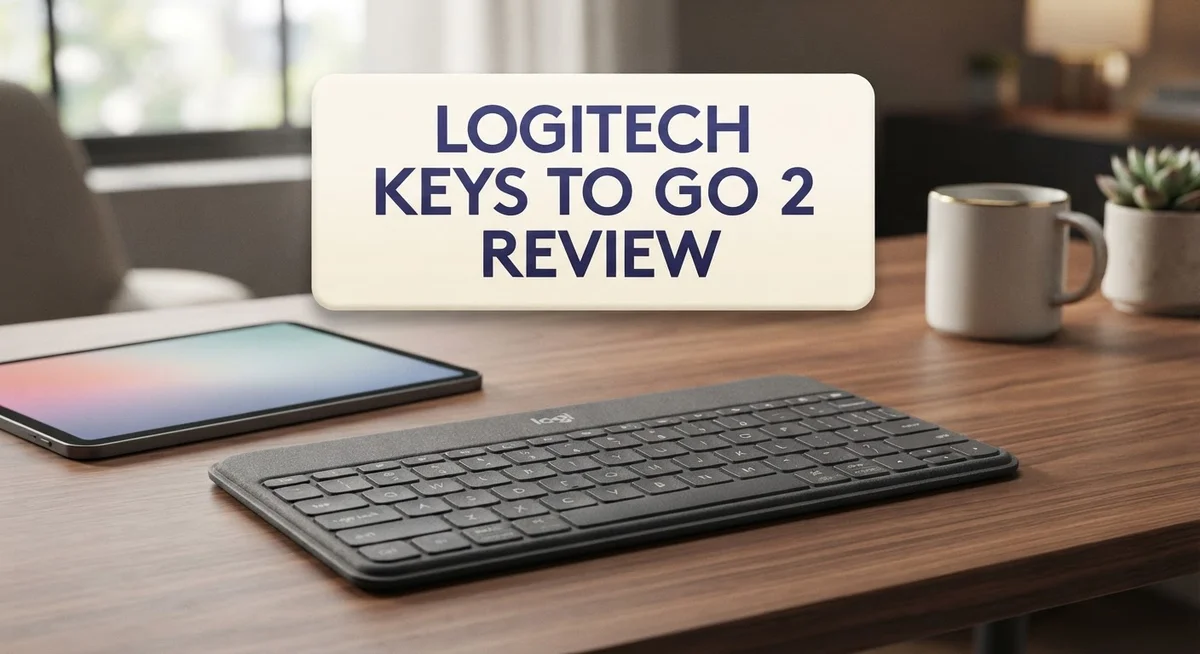
Logitech Keys To Go 2 Review: Portable Bluetooth Keyboard for Travel
Looking for a keyboard that fits your bag and your life on the go? The Logitech Keys To Go 2 might catch your eye.
This slim Bluetooth keyboard promises big portability in a tiny frame. It comes with a built-in cover that also works as a stand.
You can pair it with tablets, phones, laptops, and even Apple TV. That kind of flexibility sounds great for anyone who switches between devices often.
But does it deliver on typing comfort and daily performance? We tested the scissor switch keys, checked the battery life, and looked at build quality too.
In this review, we break down every pro and con. You will learn if this keyboard truly fits your workflow.
Let’s find out if the Keys To Go 2 deserves a spot in your tech bag.
In a Nutshell
Here’s the quick lowdown on the Keys To Go 2 before you dive deeper into this review.
-
Ultra portable design: This keyboard slips into any bag without adding bulk. It stays thin and light for daily commutes.
-
Built-in cover doubles as a stand: The cover protects the keys and props up your device. It’s a smart two-in-one feature.
-
Scissor switch keys feel snappy: Typing feels more responsive than flat membrane keyboards. But comfort still has room to improve.
-
No backlighting included: You will struggle typing in dim rooms. This is a real drawback for night owls.
-
Build quality feels cheap: The ABS plastic body feels flimsy under pressure. It does not match the premium price tag.
-
Battery lasts years, not hours: The non-rechargeable battery lasts about three years. But you cannot recharge it like modern gadgets.
-
Latency issues affect gaming: Input lag makes this keyboard unsuitable for fast typing or gaming. Stick to casual browsing and writing tasks instead.
Design and Portability
The Keys To Go 2 lives up to its name when it comes to going places. This keyboard weighs almost nothing and slides into backpacks, messenger bags, and even large jacket pockets without complaint. The slim profile means you won’t feel it taking up valuable space in your carry-on.
The protective cover deserves special attention here. It’s not just a flap that protects the keys from dust and damage. Flip it around, and it becomes an elevation stand for your tablet or phone. This dual purpose eliminates the need for a separate stand, which is smart thinking for travelers.
Dimensions matter when you’re on the move. The Keys To Go 2 measures roughly 8.5 inches wide and 0.3 inches thick. Compare that to a standard full-size keyboard, and you’re looking at a device that’s genuinely pocket-sized. The lightweight build means one-handed carrying is totally feasible.
The scissor switch keys add to the portable appeal. Unlike flat membrane keyboards that feel mushy, these keys offer a satisfying tactile response. You get better feedback without sacrificing the slim form factor. The key travel distance is shallow, which keeps the overall thickness down.
However, portability comes with trade-offs. The tiny arrow keys sit cramped in the bottom right corner. Your fingers need precision to hit them accurately. The keyboard also uses ABS plastic, which feels hollow and cheap when you apply pressure. Long typing sessions might make you wish for something sturdier.
The three colorway options let you pick a design that matches your style. Whether you prefer classic black, sleek gray, or another color variant, you have choices. This personal touch makes the keyboard feel less utilitarian.
Battery life supports the portable lifestyle well. The non-rechargeable batteries last approximately three years under normal use. You won’t need to charge this keyboard weekly like many modern devices. Just swap in fresh batteries when they eventually die, and you’re back in action.
For someone who moves between devices constantly, the Keys To Go 2 delivers genuine portability without forcing you to sacrifice basic typing comfort.

- For any screen, any OS: Use Keys-To-Go 2 wireless keyboard on tablets and devices that use Windows, Android, and...
- Ultra Portable Keyboard: The super slim, lightweight design of this portable Bluetooth keyboard makes it easy to...
- Keeps You Covered: Built-in cover protects the compact keyboard from damage so you can stay productive all day long

Last update on 2026-08-31 / Affiliate links / Images from Amazon Product Advertising API
Key Features and Connectivity
The Keys To Go 2 connects instantly to your devices through Bluetooth wireless technology. You can pair it with multiple gadgets at once. Switch between your phone, tablet, laptop, and Apple TV without any hassle.
Pairing is straightforward. Turn on Bluetooth on your device, find the keyboard in your settings, and connect. The keyboard remembers your devices, so reconnecting later takes just seconds. This multi-device capability makes the keyboard perfect for people who juggle several gadgets throughout the day.
The connection range extends up to 30 feet in open spaces. You can type from across the room or from your couch without losing signal. In real-world use, the range holds steady as long as you stay within a typical home or office environment.
One thing to note: latency can feel inconsistent. Some users report slight delays between pressing a key and seeing the character appear on screen. This happens more often in crowded wireless areas. For casual typing and messaging, you won’t notice much difference. For gaming or fast-paced work, this lag becomes annoying.
The keyboard uses a single AAA battery for power. Logitech claims it lasts about three years on a single charge. Since the battery is non-rechargeable, you’ll need to replace it when it dies. This approach keeps the keyboard lightweight and slim, but it means future battery costs add up over time.
Connectivity stability generally performs well during normal use. The keyboard maintains steady connection to your primary device. Switching between paired devices works smoothly most of the time. Occasional disconnections can happen if you move too far away or if interference occurs from other wireless devices nearby.
The full row of media and shortcut keys helps with connectivity tasks. You can adjust volume, control playback, and access quick functions without touching your device. These keys work across different operating systems, though some functions vary depending on whether you use iOS, Android, Windows, or macOS.
For travelers and remote workers, the wireless connectivity removes the need for cables entirely. You gain freedom of movement without sacrificing functionality.
Typing Experience and Build Quality
The typing experience on the Keys To Go 2 strikes a balance between portability and usability. The low-profile scissor switches offer a crisp, responsive feel compared to flat membrane alternatives. Your fingers land softly on each key and receive immediate feedback.
However, the typing experience shows clear limitations. The keys have minimal travel distance, which some users find uncomfortable during extended typing sessions. If you spend hours writing emails or documents, you might notice fatigue creeping in faster than with full-size keyboards.
The build quality tells a different story. The ABS plastic construction feels lightweight, which helps with portability, but it also feels somewhat cheap under pressure. The keyboard flexes slightly when you press down firmly, and the overall frame lacks the solid reassurance you get from aluminum or premium materials.
The tiny arrow keys present another practical challenge. They occupy minimal space, which keeps the keyboard compact, but navigating through text or spreadsheets requires more precision than standard keyboards. Your fingers need adjustment time to hit these smaller targets consistently.
The protective cover serves double duty as both shield and stand. When closed, it guards the keys from dust and accidental presses during travel. When propped up, it elevates the keyboard at a comfortable angle for tablet typing. This dual function eliminates the need for a separate stand, saving space in your bag.
The full row of media and shortcut keys adds convenience without bulk. You can control volume, skip tracks, and access common functions without reaching for your device. These keys feel responsive and integrate well into the overall layout.
Build quality trades durability for weight, which aligns with the keyboard’s travel-first design philosophy. The plastic won’t survive drops or heavy pressure like metal alternatives would. For casual users who handle their gear carefully, this compromise works fine. For those who need rugged equipment, this keyboard might disappoint.
The overall construction prioritizes getting you typing quickly wherever you are. It succeeds at that mission, though it sacrifices some tactile satisfaction and long-term durability in the process.
Top 3 Alternatives
Apple Magic Keyboard

- Magic Keyboard delivers a remarkably comfortable and precise typing experience.
- It’s also wireless and rechargeable, with an incredibly long-lasting internal battery that’ll power your...
- It pairs automatically with your Mac, so you can get to work straightaway.
Last update on 2026-08-31 / Affiliate links / Images from Amazon Product Advertising API
The Apple Magic Keyboard offers a seamless experience for users in the Apple ecosystem. This keyboard connects wirelessly and features a rechargeable battery that lasts for months. The low-profile keys provide a comfortable typing experience with minimal noise.
The keyboard pairs instantly with your Mac, iPad, or iPhone through Bluetooth. Setup takes just seconds, making it ideal for people who want quick connectivity. The compact design fits easily in bags and on desks without taking up much space.
One advantage is the premium build quality. The aluminum construction feels solid and durable. However, this keyboard works best with Apple devices and may have limited compatibility with other brands.
Microsoft Designer Compact

- Compact design saves desktop space and allows for close, comfortable mouse position.
- Optimized key spacing and key travel for fast, fluid typing.
- Sleek, low-profile design complements any workspace.
Last update on 2026-08-31 / Affiliate links / Images from Amazon Product Advertising API
Microsoft’s Designer Compact keyboard brings productivity features to your workspace. This keyboard includes a number pad, which some users prefer over smaller designs. The keys have a satisfying click and responsive feedback during typing.
Connectivity options include Bluetooth and USB, giving you flexibility in how you connect. The battery life extends for several months on a single charge. The compact size still manages to include all standard keys without feeling cramped.
This keyboard works well with Windows devices and other platforms. The design emphasizes functionality over minimalism, making it suitable for people who need full features in a smaller package.
Samsung Smart Keyboard

- TYPE WITH EASE: The Samsung Smart Keyboard offers a natural, laptop-like typing feel with a 19 mm key pitch. Its...
- SMARTER ACCESS AT YOUR FINGERTIPS: Stay in control with the dedicated AI Short Key, your shortcut to smart...
- SEAMLESS MULTI-DEVICE PAIRING: Switch between devices in a snap. The Samsung Smart Keyboard lets you pair with up...
Last update on 2026-08-31 / Affiliate links / Images from Amazon Product Advertising API
Samsung’s Smart Keyboard integrates with Samsung devices and the broader Android ecosystem. The keyboard connects via Bluetooth and syncs easily with tablets and phones. The typing experience feels responsive and comfortable for extended work sessions.
The battery provides weeks of usage before needing a recharge. The keyboard supports multiple device pairing, so you can switch between devices quickly. The design balances portability with functionality, making it practical for mobile professionals.
Battery Life and Power Management
The Keys To Go 2 runs on a single AAA battery that keeps this keyboard going for approximately three years. This extended battery life means you won’t scramble for replacements constantly. The non-rechargeable approach simplifies things for travelers who prefer not carrying charging cables.
Battery performance remains consistent throughout its lifespan. You get steady power delivery whether the battery is brand new or nearing the end of its three year cycle. This predictability helps you plan your trips without worrying about sudden power drops.
The keyboard doesn’t include a battery indicator light. You won’t receive visual warnings when power runs low. This design choice keeps the keyboard minimal and lightweight, but it means you should swap in a fresh AAA battery before long trips to avoid surprises.
One AAA battery provides impressive longevity compared to many portable keyboards. Most competitors require frequent charging or multiple battery swaps during extended travel. The Keys To Go 2 eliminates this hassle entirely. You simply install the battery once and forget about power management for years.
The battery compartment sits beneath the protective cover. Access is straightforward and requires no tools. Changing batteries takes seconds, making maintenance painless whenever needed.
This power system aligns perfectly with the keyboard’s travel focused design. You don’t need to hunt for outlets or USB ports in airports, hotels, or coffee shops. The AAA battery approach gives you genuine freedom from charging infrastructure.
Power management on this keyboard is essentially passive. The device doesn’t offer sleep modes or power saving features. It simply stays on whenever connected to your devices. This simplicity means less to learn and fewer settings to manage.
For people who move between devices constantly, this battery approach works well. You get reliable power without complexity. The three year lifespan covers most users’ upgrade cycles for portable keyboards.
If you prefer rechargeable batteries, this keyboard won’t suit your needs. However, for travelers seeking simplicity and reliability, the AAA battery system delivers exactly what this device promises.
Multi-Device Compatibility
The Keys To Go 2 shines when you need a keyboard that works across multiple devices simultaneously. This portable keyboard pairs with up to three different gadgets at once, making it ideal for people who juggle phones, tablets, and computers throughout their day.
Switching between devices happens seamlessly. You simply press a dedicated key to toggle between your paired gadgets. The process takes just a moment, so you stay productive without fumbling around in settings menus.
The keyboard works perfectly with iOS and Android tablets. Your iPad connects instantly, and so does your Android phone. This flexibility means you can type on whichever screen makes sense for your current task.
Laptop compatibility covers both Mac and Windows systems. The Keys To Go 2 recognizes these operating systems automatically. You don’t need to install special drivers or fiddle with complicated setup steps.
Apple TV users will appreciate that this keyboard works with that platform too. If you manage your streaming device from your couch, the Keys To Go 2 provides a comfortable typing option.
The multi-device setup removes a common pain point for remote workers and travelers. Instead of carrying multiple keyboards or constantly reconnecting a single keyboard, you maintain active connections to all your devices. This matters when you’re responding to messages on your phone while your laptop sits nearby.
One important note: the keyboard remembers each device pairing. Once you establish that first connection, reconnecting later happens automatically within range. You won’t repeat the pairing process every single time.
The 30-foot Bluetooth range supports this multi-device approach well. Your keyboard stays connected whether you’re across the room or in an adjacent space. This distance works for most home and office environments.
Battery longevity supports the multi-device lifestyle too. Since the keyboard isn’t constantly recharging, you can leave it paired and ready to use without worrying about power drains from maintaining multiple connections simultaneously.
The Keys To Go 2 essentially eliminates the choice between portability and device flexibility. You get both in one compact package.
Pros and Cons
Pros
- Extremely slim and light design makes it perfect for travel and daily commuting
- Scissor switch keys deliver responsive, satisfying keystrokes without excess depth
- Integrated protective cover doubles as an elevation stand for better typing angles
- Works seamlessly across tablets, phones, laptops, and Apple TV with instant switching
- Full row of media and shortcut keys adds convenience without adding bulk
Cons
- No backlighting means typing in dim environments becomes frustrating and difficult
- Cheap ABS plastic construction feels flimsy compared to aluminum alternatives
- Tiny arrow keys require precise finger placement and slow down navigation tasks
- High and inconsistent latency makes this keyboard unsuitable for any gaming or fast-paced work
- Non-rechargeable AAA battery means you’ll need to stock spare batteries for long trips
Who Should Buy It
The Keys To Go 2 works best for people who move between devices constantly. If you switch between your phone, tablet, laptop, and Apple TV throughout the day, this keyboard eliminates the frustration of pairing a new device each time.
Remote workers and digital nomads benefit most from this keyboard’s design. The slim profile fits into laptop bags without taking up much space. You get a full keyboard experience without the bulk of traditional portable options.
This keyboard suits travelers who value simplicity. The integrated cover protects your keys during transit and props up your device for comfortable typing. No extra accessories needed. Pack it, go, and start working anywhere.
Content creators using tablets find real value here. The responsive scissor keys feel satisfying for extended typing sessions. Media shortcuts let you control playback without reaching for your device. This matters when you’re editing video or managing social media on the go.
Students benefit from the multi-device capability. Take notes on your laptop during class, then switch to your iPad for studying without missing a beat. The keyboard remembers each pairing, so reconnecting happens instantly.
People who dislike backlighting will appreciate this model. If you prefer working in well-lit environments or don’t need glow-in-the-dark keys, you avoid paying for features you won’t use. The non-rechargeable battery also appeals to users who prefer simple, maintenance-free devices.
This keyboard isn’t ideal for gamers. The latency issues make it unsuitable for competitive gaming or fast-paced applications. Serious gamers should look elsewhere.
Heavy typists might feel disappointed too. The cheap plastic construction and underwhelming typing feel won’t satisfy people who spend eight hours daily writing. The tiny arrow keys also frustrate users who navigate documents frequently.
Skip this keyboard if you need backlighting or work primarily in dim environments. The lack of illuminated keys creates real challenges for night typing.
Choose the Keys To Go 2 when portability and multi-device switching matter more than premium build quality. It solves the specific problem of moving between devices without compromising too much on typing comfort.
Final Verdict
The Logitech Keys To Go 2 earns its place as a solid travel companion. It blends portability with practical features that fit modern work habits.
This keyboard shines brightest for people who juggle multiple devices. Its strengths lie in convenience, not luxury. That trade off defines the entire experience.
Compared to alternatives like the Apple Magic Keyboard or NuPhy models, this keyboard sacrifices premium materials for flexibility. It does not try to compete on build quality. Instead, it focuses on ease of switching between screens.
If you compare it to the Kanex MultiSync Slim Aluminum or Anker Ultra Compact Wireless, the Keys To Go 2 holds its own in portability. However, rivals often edge ahead in typing feel or backlighting options.
The Logitech Pop Icon Keys offers more personality through color and design flair. The Keys To Go 2 stays simple and functional instead. Neither approach is wrong, but they serve different priorities.
For long term use, this keyboard performs best as a secondary tool. It supports quick note taking, casual browsing, and light writing tasks well. Heavy daily typing on desks may still favor a traditional keyboard.
Setup remains straightforward from the first use. Pairing feels intuitive, and switching between devices happens fast. That simplicity adds real value for anyone tired of complicated tech.
Overall, the Keys To Go 2 succeeds at its core mission. It delivers a compact, reliable typing tool for people who move often. It does not try to be everything for everyone.
Anyone craving a premium feel or gaming performance should look elsewhere. But for portability first, function second users, this keyboard checks the right boxes. It earns a confident recommendation for that specific audience.
In short, the Keys To Go 2 rewards practicality over polish. Choose it when your lifestyle demands flexibility more than flash.
Frequently Asked Questions
Does the Keys To Go 2 work with all my devices?
Yes, it pairs with tablets, phones, laptops, and Apple TV. You can switch between three devices instantly using dedicated buttons. The multi-device support makes it perfect if you jump between a phone, tablet, and laptop throughout your day.
Can I use this keyboard in dark rooms?
No, this keyboard has no backlighting. You’ll struggle typing in dim environments or at night. If you work in low light, consider alternatives with illuminated keys instead.
How long do the batteries last?
The non-rechargeable batteries provide about three years of typical use. You cannot charge this keyboard, so you’ll need to replace the batteries eventually. This matters if you prefer rechargeable options for convenience.
Is this keyboard good for typing long documents?
The typing experience feels underwhelming compared to premium keyboards. The low-profile scissor keys and cheap ABS plastic construction don’t inspire confidence during extended sessions. Heavy typists often find themselves disappointed. This keyboard works better as a secondary tool rather than your main typing device. If you spend hours writing emails or documents, you might prefer something with better tactile feedback and sturdier build quality.
Should I buy this if I’m a gamer?
No. The keyboard has high, inconsistent latency that makes gaming frustrating. The tiny arrow keys also slow down navigation. Gamers need faster response times and better key placement. Skip this model if gaming is your priority.

Meet Amelia, the adventurous soul behind TravelersEnthusiasm.com. With a heart set on exploration, she crafts tales that whisk readers from European alleys to Asian landscapes. Amelia‘s stories are genuine, reflecting her deep connections and reverence for diverse cultures. When not traveling, she’s sketching in cafes or exchanging tales with fellow wanderers.