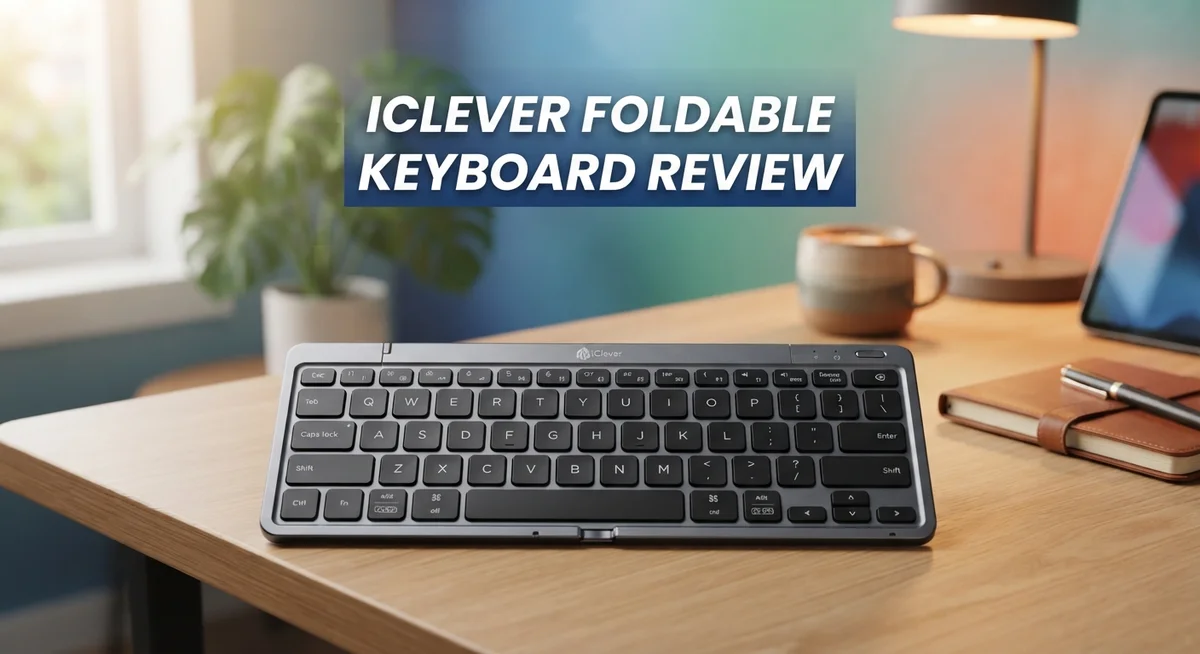
iClever Foldable Keyboard Review: Portable Bluetooth Typing for Travel
Do you need a keyboard that fits in your pocket? The iClever Foldable Keyboard (BK08) might be your answer.
This tiny keyboard folds up like a wallet. It is small enough to carry anywhere, yet it works like a full sized keyboard.
Built from aluminum, this keyboard feels sturdy in your hands. It does not feel cheap or flimsy.
You also get a built in trackpad with mouse buttons. This means you can leave your mouse at home.
It connects to three devices over Bluetooth. You can switch between your phone, tablet, and laptop instantly.
Gamers love pairing it with devices like the Steam Deck or Legion Go.
But is it perfect for everyone? In this review, we will look at typing comfort, key feel, and daily performance. Let us find out if this little keyboard earns a spot in your bag.
In a Nutshell
Here is the quick rundown on this compact companion:
-
Build quality shines through its aluminum frame. This keyboard feels solid, not flimsy like cheaper plastic models.
-
Typing speed takes a hit for many users. Expect around 50 WPM until your fingers adjust to the smaller layout.
-
Symbol keys sit in slightly unusual spots. This means a short learning curve before typing feels natural.
-
The touchpad works well most of the time. Some users notice occasional lag or missed clicks during fast use.
-
Key feel runs firm and clicky. If you prefer soft silicone keys, this hard feel might surprise you.
-
This keyboard suits travelers and gamers best. Daily heavy typists may want a bigger keyboard for comfort.
Overall, the iClever BK08 delivers strong portability and solid connectivity. It asks for a short adjustment period before typing feels smooth and natural.
Design and Build Quality
The iClever Foldable Keyboard impresses with its aluminum construction that feels premium to the touch. The tri-folding design collapses down to pocket size, making it genuinely portable without sacrificing structural integrity.
When you unfold the keyboard, you notice the keys occupy about 90% of standard size. This matters because your fingers adapt quickly to the slightly compressed layout. The keys themselves deliver a firm, clicky response that some users prefer while others wish for softer silicone switches.
The integrated trackpad sits below the spacebar where you’d expect it. It includes dedicated left and right mouse buttons, eliminating the need for a separate pointing device. This design choice keeps everything self-contained and travel friendly.
One detail worth noting is the key placement on symbols and punctuation marks. They sit in slightly unusual spots compared to full-size keyboards. You’ll experience reduced typing speed initially, with many users reporting around 50 words per minute instead of their normal pace. This adjustment period typically lasts a few days as muscle memory kicks in.
The trackpad responsiveness varies depending on your usage patterns. Some find it highly responsive while others encounter occasional inconsistency. It works well for navigation and basic tasks, though precision work may feel sluggish.
The overall build quality remains solid and durable. The aluminum frame withstands daily handling without flex or creaking. USB-C charging keeps the battery topped up, and the battery itself lasts impressively long between charges.
The keyboard connects to three devices simultaneously via Bluetooth, switching between them smoothly. This multi-device capability makes it excellent for people juggling phones, tablets, and laptops.
The hard key feel differs from what membrane or chiclet keyboard users expect. If you prefer softer keystroke feedback, this keyboard might feel too rigid initially. However, many find the firm response satisfying once they adjust.
This keyboard shines for travelers and mobile gamers. It pairs beautifully with the Steam Deck and Legion Go. For stationary desk work, the compact key layout and reduced typing speed may frustrate you. The iClever BK08 succeeds by knowing its purpose: portable computing that doesn’t compromise on build quality.

- 【Pocket-Sized Foldable Bluetooth Keyboard】Turn your phone or tablet into a full workstation in seconds. This...
- 【Wireless Keyboard with Built-in Touchpad】Navigate, scroll, and click effortlessly with the precision...
- 【Durable Aluminum Design for Travel】Crafted from aircraft-grade aluminum with reinforced hinges, this portable...
Last update on 2026-08-31 / Affiliate links / Images from Amazon Product Advertising API
Portability and Form Factor
The iClever Foldable Keyboard (BK08) transforms portability into a practical reality. This keyboard folds into thirds, creating a form factor similar to a smartphone. You can slip it into a backpack pocket or even a large jacket without noticing the weight.
The aluminum construction keeps things light while maintaining durability. The tri-fold design means you get a full typing surface when unfolded, yet it collapses to roughly the size of an iPhone 7. This balance between functionality and compactness sets it apart from bulkier alternatives.
When you unfold the device, the keys spread across a familiar QWERTY layout. The keys reach about 90% of standard desktop keyboard size, so your fingers don’t feel cramped. The integrated trackpad sits in its expected position below the spacebar, giving you mouse control without carrying a separate device.
The keyboard’s thickness matters for travel. It stays thin enough to fit into tablet cases or laptop bags without adding bulk. Gamers appreciate this especially when pairing it with portable gaming devices like the Steam Deck or Legion Go.
Weight is another advantage here. The aluminum frame keeps everything light, so extended travel doesn’t strain your hands or bag. You won’t feel like you’re lugging around extra equipment.
One trade off emerges with the compact design. Key placement shifts slightly, particularly for symbols and punctuation marks. Your fingers need an adjustment period to locate these keys without looking. This is the cost of shrinking everything down.
The touchpad integration deserves mention too. Rather than forcing you to carry a separate mouse, the built in trackpad handles cursor movement and clicking. This all in one approach eliminates one more device from your travel kit.
Battery life extends well beyond typical portable keyboards. A single charge lasts for weeks of regular use, so you won’t scramble for a USB C cable during trips. The Bluetooth connection remains stable across three paired devices, letting you switch between your phone, tablet, and laptop instantly.
For travelers and mobile professionals, the iClever BK08 delivers genuine portability without sacrificing essential functions. The form factor proves that compact keyboards can still feel solid and capable.
Typing Experience and Key Layout
The typing experience on the iClever BK08 reveals both strengths and learning curves. Keys measure at roughly 90% of standard laptop size, which means your fingers adapt within a few minutes. Most users report comfortable typing once they settle into the rhythm of the compact layout.
The key feel itself leans toward firm and clicky. This differs sharply from soft membrane keyboards or chiclet-style keys. If you prefer tactile feedback, you’ll appreciate the responsive press. However, users accustomed to quiet, mushy keys may find the hard response jarring at first.
Symbol and punctuation keys sit in slightly unusual positions. The colon, semicolon, and quotation marks don’t follow the exact placement you’d find on a full-size keyboard. This quirk causes initial slowdowns. Most typists report their speed drops to around 50 words per minute compared to their normal pace. After one to two weeks of regular use, many users regain much of their speed.
The QWERTY layout follows the standard arrangement for letters and numbers. This familiarity helps new users feel at home quickly. The spacebar sits where you expect it, and the backspace key functions normally. The shift and enter keys maintain their traditional positions, which reduces confusion during typing sessions.
The integrated trackpad occupies the space below the spacebar. Its placement feels natural and doesn’t interfere with typing. The trackpad itself measures adequately for navigation, though responsiveness varies depending on your finger pressure and humidity levels.
Typing accuracy generally remains solid despite the compact design. Accidental key presses happen less often than you might expect. The spacing between keys prevents your fingers from hitting adjacent buttons during normal typing sessions.
The keyboard performs best for emails, messaging, and light document work. Intensive writing sessions or coding tasks demand more adaptation time. Gamers using the BK08 with handheld devices report satisfactory performance for text input during gameplay breaks.
Overall, the typing experience requires an adjustment period but delivers practical functionality for mobile users and travelers.
Top 3 Alternatives
Logitech Keys-To-Go

- For any screen, any OS: Use Keys-To-Go 2 wireless keyboard on tablets and devices that use Windows, Android, and...
- Ultra Portable Keyboard: The super slim, lightweight design of this portable Bluetooth keyboard makes it easy to...
- Keeps You Covered: Built-in cover protects the compact keyboard from damage so you can stay productive all day long

Last update on 2026-08-31 / Affiliate links / Images from Amazon Product Advertising API
The Logitech Keys-To-Go offers a lightweight design that fits easily into bags and pockets. This keyboard connects via Bluetooth to multiple devices, making it simple to switch between your phone, tablet, and computer. The keys provide decent feedback for typing, and the battery lasts for weeks on a single charge. Many users appreciate how thin and portable this option is compared to bulkier alternatives.
Microsoft Universal Foldable Keyboard

Last update on 2026-08-31 / Affiliate links / Images from Amazon Product Advertising API
Microsoft’s Universal Foldable Keyboard delivers a solid typing experience with a sturdy build quality. The device folds in half, reducing its footprint significantly when not in use. It pairs easily with Windows devices, tablets, and smartphones through Bluetooth. The keyboard includes a kickstand slot that works with most tablets, giving you hands-free viewing angles. Battery performance is reliable, and the keys feel responsive during extended typing sessions.
Anker Bluetooth Foldable Keyboard

- Palm-sized Folding Design with PU Leather Cover: Only 7.8 ounces – folds to a small size for carrying. The soft...
- Compact Layout: Unfolded size: 10.76"×4.07", keycaps 0.55". This mini keyboard saves desk space and fits on tight...
- Bluetooth 5.1 with Stable 33ft Range: Connect to up to 3 devices (iPad, iPhone, Android tablet,etc) simultaneously...
Last update on 2026-06-07 / Affiliate links / Images from Amazon Product Advertising API
Anker’s Bluetooth Foldable Keyboard combines portability with affordability. The device folds completely, making it one of the most compact options available. Connectivity happens instantly through Bluetooth, and it supports multiple devices simultaneously. The aluminum construction feels premium and durable, while the chiclet-style keys offer comfortable typing. Battery life extends to several weeks, and the keyboard charges via USB-C for convenience.
Each of these alternatives provides different strengths. Choose based on your priority: portability, typing comfort, or build quality. All three options work well with smartphones, tablets, and computers, making them practical for people who work or travel frequently.
Touchpad and Input Performance
The touchpad on the iClever BK08 performs as a practical input solution for mobile work. It sits in the expected location below the spacebar, giving your thumb natural access during typing sessions.
Responsiveness varies based on your touch patterns and hand positioning. Light taps register consistently for cursor movement. Heavier pressure sometimes triggers accidental selections. This learning curve disappears after a few days of use.
The left and right mouse buttons feel satisfying to click. They respond with enough tactile feedback to confirm your actions. Scrolling works smoothly through documents and web pages. The button placement keeps your fingers in a natural resting position.
Precision work like photo editing or spreadsheet navigation requires patience. The touchpad surface area limits how far you can move the cursor in one swipe. You’ll need multiple swipes to cross the full screen. This doesn’t prevent productivity, but it does slow down detailed tasks compared to larger trackpads.
Multi-touch gestures add useful functionality to the input experience. Two finger scrolling works reliably. Pinch to zoom responds when you need it. These features make the compact design feel less limiting for everyday computing.
The keyboard’s key placement affects your typing rhythm more than the touchpad does. Keys sit about 90% of standard size, which means your fingers adjust quickly. Symbol keys occupy slightly unusual positions, so punctuation takes a moment to locate. Most users report typing speeds around 50 WPM initially, then improve with practice.
The firm, clicky key feel provides good tactile feedback. Each keystroke produces a satisfying sound. This differs from softer membrane keyboards, so users with strong key preferences may notice the difference.
For travel and mobile gaming on devices like the Steam Deck, the input combination works surprisingly well. The touchpad handles cursor control adequately. The keyboard enables quick text entry without carrying extra peripherals. Responsiveness improves once you understand the keyboard’s specific layout and touchpad sensitivity.
The overall input performance suits emails, messaging, and document editing. Demanding tasks benefit from a full sized keyboard, but this portable option handles most mobile workflows effectively.
Connectivity and Battery Life
The iClever BK08 connects to three devices simultaneously through Bluetooth, letting you switch between your phone, tablet, and laptop without re pairing. This multi device switching works smoothly for users managing multiple screens throughout the day.
Bluetooth reliability stands as a key strength of this keyboard. The connection remains stable across typical office and home distances. You won’t experience random disconnections during regular use. Pairing takes just seconds on your first attempt with each device.
Battery life delivers impressive performance for a portable keyboard. A single charge lasts several weeks under normal typing conditions. The USB C port handles charging quickly, and you’ll find the cable fits most modern devices you already own. The keyboard alerts you with low battery warnings before power runs out.
For frequent travelers, the battery endurance means fewer charging sessions during trips. You can leave the charging cable at home for week long journeys without worry. This extended runtime separates the BK08 from many competitors that require weekly charges.
Connectivity speed matters for mobile work, and the iClever handles this well. Commands register without noticeable lag when switching between devices. Your cursor responds immediately to trackpad input. Typing latency remains imperceptible during regular communication tasks.
The USB C charging approach keeps things modern and practical. Most people carry USB C cables already, so you won’t need special adapters. Charging happens efficiently, and the battery holds its capacity over extended use periods.
One consideration emerges with older Bluetooth devices. The keyboard pairs with legacy equipment, but you may need to check compatibility with very old tablets or phones. Most devices from the last five years connect without issues.
The combination of reliable Bluetooth connectivity and extended battery life makes this keyboard practical for digital nomads and remote workers. You get dependable performance without constantly hunting for power outlets. The three device switching capability adds flexibility for people juggling multiple screens and projects throughout their day.
Pros and Cons
Pros
- Aluminum tri-fold design feels durable and withstands daily travel wear
- Pocket sized form factor fits easily into bags, backpacks, and even large jacket pockets
- Built in trackpad with mouse buttons eliminates the need for a separate input device
- Bluetooth connects to three devices at once, so you switch between phone, tablet, and laptop instantly
- Battery life runs for weeks between charges, making it ideal for frequent travelers
Cons
- Symbol and punctuation keys sit in slightly unusual positions that throw off your typing rhythm
- Typing speed drops to around 50 WPM due to the compact key layout and smaller key size
- Touchpad responsiveness feels inconsistent depending on your finger pressure and hand position
- The firm, clicky key feel takes an adjustment period if you prefer softer silicone keyboards
Who Should Buy It
The iClever Foldable Keyboard works best for people who move around frequently. If you travel often for work or leisure, this keyboard fits into your bag without taking up much space.
Mobile gamers benefit significantly from this device. You can use it with your Steam Deck, Legion Go, or other handheld gaming systems. The integrated trackpad gives you full mouse control without carrying extra gear.
Content creators on the go find real value here. Writers, journalists, and bloggers who need to work from coffee shops, airports, or hotels appreciate the portability. You get a full keyboard and mouse input in one compact package.
This keyboard suits people who use multiple devices regularly. Since it connects to three devices simultaneously, you can switch between your phone, tablet, and laptop instantly. No need to unpair and repair constantly.
Business travelers should consider this option. The weeks long battery life means you charge less frequently during trips. USB C charging keeps things simple since most modern devices use the same cable.
However, this keyboard is NOT ideal for everyone. If you type fast professionally, the 50 WPM reduction might frustrate you. Data entry specialists and transcriptionists should look elsewhere.
People with specific symbol key workflows may struggle. The unusual key placement for punctuation marks throws off your muscle memory. If you rely on quick symbol access, adjustment takes time.
Users who prefer soft, silicone keyboards might not love the firm, clicky feel. The hard key response takes getting used to if you prefer quieter typing.
Students benefit from the compact design. You can take notes during lectures without a bulky laptop. The touchpad handles basic navigation and clicks smoothly.
Casual users and light typists thrive with this keyboard. If you send emails, browse, and chat occasionally, the learning curve disappears quickly. The reduced typing speed matters less for non intensive work.
Remote workers who stay mostly stationary should explore other options. You’ll appreciate a full sized keyboard for eight hour workdays. This keyboard shines when you move between locations regularly, not when you stay put.
Final Verdict
The iClever Foldable Keyboard earns its place as a smart travel companion. It blends solid build quality with practical features that matter most on the go.
This keyboard shines brightest for people who value portability over pure typing speed. If you type long documents daily, the learning curve might test your patience.
Casual users and gamers will likely feel right at home here. The compact design and touchpad combo make it a versatile pick for quick tasks and entertainment.
Compared to rivals like the ProtoArc XKM01 or Samsers Foldable Bluetooth Keyboard, the iClever holds its own. Its aluminum build gives it an edge in long term durability.
Think about your daily routine before deciding. Do you need a keyboard for quick emails and social media? Or do you write lengthy reports every day?
For the first group, this keyboard fits perfectly. For the second group, a full sized keyboard might serve you better.
The adjustment period is real, but it does not last forever. Most users adapt within a week or two of regular use.
Practice makes a real difference here. Once your fingers learn the key spacing, typing feels more natural.
This product works best as a secondary keyboard. Keep it in your bag for trips, meetings, or quick work sessions away from your desk.
It is not designed to replace your main workstation setup. Instead, it fills a specific gap for mobile productivity.
Overall, the iClever Foldable Keyboard delivers on its core promise. It gives you a portable, durable, and functional typing solution.
The tradeoffs are clear but manageable for the right user. Symbol key placement and typing speed take a small hit for the sake of size.
If portability tops your priority list, this keyboard deserves a spot in your bag. It handles the essentials well and travels light.
For anyone who needs speed and precision above all else, exploring other options makes sense. But for flexible, on the move typing, this keyboard gets the job done.
Frequently Asked Questions
Can I use the iClever Foldable Keyboard with multiple devices at the same time?
Yes, you can. The keyboard connects to three devices simultaneously via Bluetooth. You switch between your phone, tablet, and laptop instantly without re-pairing. This feature works great if you juggle work across different screens throughout your day.
How long does the battery last on a single charge?
The battery runs for weeks between charges. You won’t need to plug it in constantly during trips or commutes. This makes it ideal for people who travel frequently and want minimal charging hassles.
Is the typing experience the same as a regular keyboard?
Not exactly. The keys are about 90% standard size, so your fingers need an adjustment period. Typing speed typically drops to around 50 WPM due to the compact layout. Symbol and punctuation keys sit in slightly unusual positions. Most users adapt after a few days of practice, but heavy typists may find this frustrating.
What makes the touchpad useful?
The built in trackpad includes left and right mouse buttons. You get a complete input device without carrying a separate mouse. This touchpad responsiveness varies depending on usage, but it eliminates the need for extra gear when you’re on the move.
Who should avoid this keyboard?
Skip it if you need to type documents all day at full speed. People who prefer soft, silicone keyboards might dislike the firm, clicky feel. Users with specific symbol key workflows could struggle too. This keyboard works best as a secondary device, not a primary workstation replacement.

Meet Amelia, the adventurous soul behind TravelersEnthusiasm.com. With a heart set on exploration, she crafts tales that whisk readers from European alleys to Asian landscapes. Amelia‘s stories are genuine, reflecting her deep connections and reverence for diverse cultures. When not traveling, she’s sketching in cafes or exchanging tales with fellow wanderers.